AI Background Prompts: Create Stunning Scenes with PicVault
Master AI background generation with curated prompt examples, style breakdowns, and practical tips for creating professional scenes with PicVault.
Why AI Backgrounds Are Essential
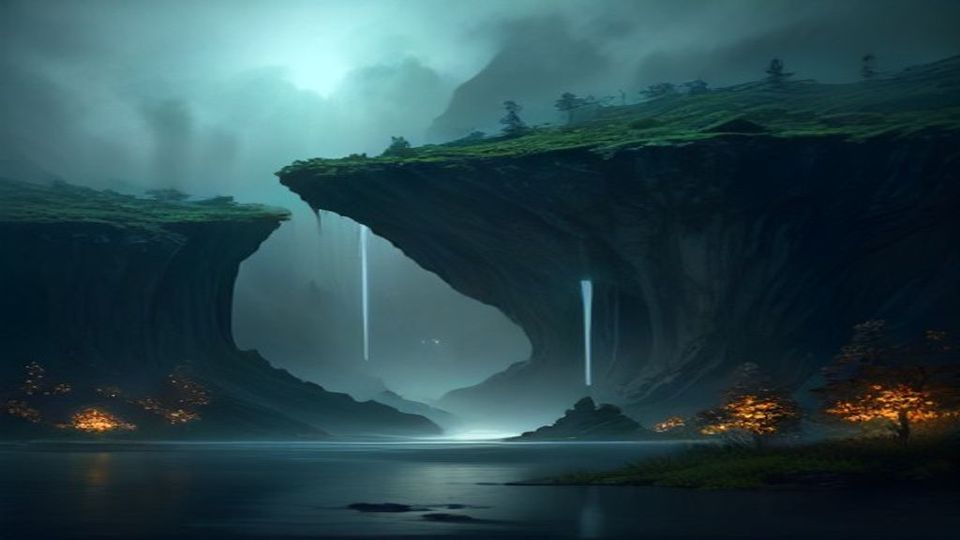
AI-generated backgrounds have become indispensable for designers, marketers, and content creators. Whether you need a website hero image, social media backdrop, or presentation slide, the right background sets the mood instantly. With PicVault's text-to-image generator, you can craft custom backgrounds in seconds — no design skills required.
Curated AI Background Prompts
1. Ethereal Forest Clearing
```
A serene forest clearing at golden hour, soft rays of sunlight filtering through tall pine trees, mist hovering above a mossy ground, shallow depth of field, cinematic lighting, photorealistic, 8K resolution
```
**Style Breakdown:** Warm golden-hour lighting, eye-level camera angle, photorealistic nature photography style.
**Ideal Use Case:** Wellness brand websites, meditation app backgrounds, or calming social media posts.
2. Abstract Geometric Gradient
```
Abstract background with overlapping geometric shapes in gradient colors of deep purple, electric blue, and soft pink, smooth matte finish, minimalist composition, modern digital art style, 4K
```
**Style Breakdown:** Soft gradient lighting, flat lay composition, modern digital illustration style.
**Ideal Use Case:** Tech startup landing pages, app UI backgrounds, or podcast cover art.
3. Moody Urban Nightscape
```
Rain-soaked city street at night, neon signs reflecting on wet pavement, bokeh lights in the background, cinematic color grading with teal and orange tones, wide-angle lens, hyperrealistic
```
**Style Breakdown:** Low-key neon lighting, wide-angle street-level perspective, cinematic color grading.
**Ideal Use Case:** Music album covers, gaming stream overlays, or edgy brand campaigns.
4. Soft Pastel Studio Backdrop
```
Seamless pastel studio background with soft peach and lavender tones, gentle gradient from top to bottom, clean and airy aesthetic, professional product photography style, high resolution
```
**Style Breakdown:** Even diffused studio lighting, top-down gradient, clean commercial photography style.
**Ideal Use Case:** E-commerce product mockups, beauty brand content, or Instagram story backgrounds.
5. Cosmic Nebula Space Scene
```
Vibrant cosmic nebula with swirling clouds of magenta, cyan, and gold, scattered distant stars, deep black void, ultra-detailed astrophotography style, 8K resolution, no text
```
**Style Breakdown:** Self-illuminated celestial lighting, deep space perspective, astrophotography realism.
**Ideal Use Case:** Science-themed presentations, sci-fi book covers, or futuristic brand visuals.
6. Minimalist Japanese Zen Garden
```
Minimalist Japanese zen garden with raked white sand patterns, a single moss-covered stone, soft overcast daylight, muted earth tones, wabi-sabi aesthetic, photorealistic, 4K
```
**Style Breakdown:** Soft overcast natural light, slightly elevated angle, wabi-sabi minimalist photography.
**Ideal Use Case:** Spa and hospitality branding, mindfulness content, or luxury lifestyle visuals.
7. Retro Synthwave Grid
```
Retro synthwave background with a glowing neon grid extending to the horizon, purple and cyan color palette, setting sun on the horizon, 1980s aesthetic, digital art, high detail
```
**Style Breakdown:** Neon glow lighting, one-point perspective, retro-futuristic digital art style.
**Ideal Use Case:** Music festival posters, gaming content, or retro-themed social media graphics.
Practical Tips for Customizing Background Prompts
**1. Adjust the Color Palette:** Swap color keywords to match your brand. Change "deep purple and electric blue" to "forest green and warm gold" for an instant mood shift.
**2. Control the Complexity:** Add "minimalist" or "clean composition" for simple backgrounds, or layer in details like "intricate patterns" and "highly detailed" for rich, complex scenes.
**3. Specify the Aspect Ratio in Your Mind:** Think about where the background will be used — horizontal for website heroes, square for social posts, or vertical for mobile wallpapers — and describe the composition accordingly.
Start Creating with PicVault
Ready to bring these backgrounds to life? Head over to PicVault and start generating high-resolution AI backgrounds instantly. Simply copy any prompt above, paste it into our text-to-image generator, and watch your vision come to life in seconds. No design experience needed — just your imagination.