3D渲染AI图像生成:完整提示词指南与实用技巧
探索如何使用AI生成惊艳的3D渲染图像。本文包含8个精选提示词示例、风格拆解和实用修改技巧,帮助你在PicVault上快速创作高质量3D艺术作品。
什么是3D渲染AI图像生成?
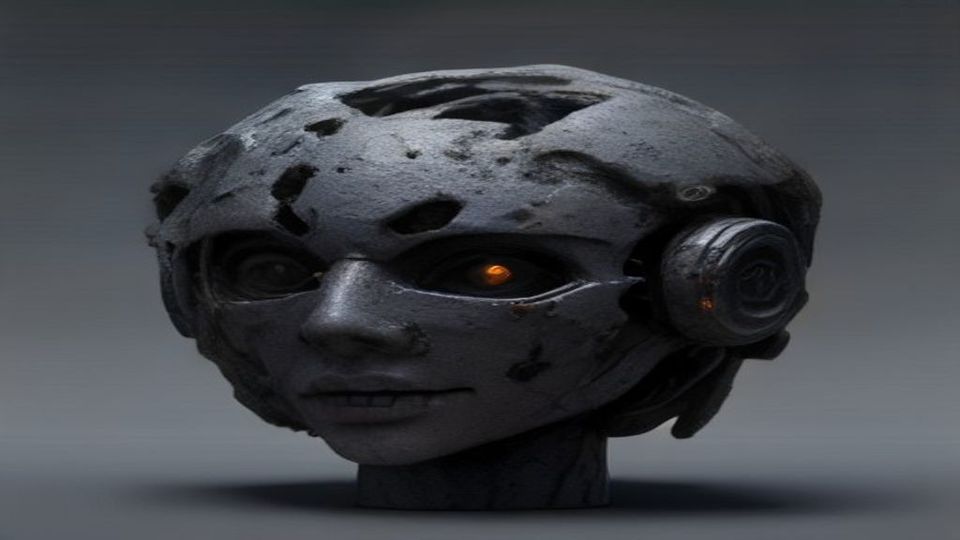
3D渲染风格的AI图像正在成为设计领域的热门趋势。无论是产品展示、游戏概念艺术还是建筑可视化,3D渲染提示词都能帮助你快速生成逼真且富有创意的视觉效果。通过精确的提示词描述,AI可以模拟材质、光照和相机角度,创造出令人惊叹的3D风格图像。
无论你是设计师、营销人员还是创意爱好者,掌握3D渲染提示词技巧都能大幅提升你的工作效率。本文将为你提供完整的提示词模板和实用技巧。
8个精选3D渲染提示词示例
1. 产品展示风格
```
A luxury perfume bottle, glossy glass material with golden accents, floating on a reflective marble surface, soft studio lighting from above, 3D render, octane render, hyperrealistic, 8K resolution, product photography style
```
**风格要素拆解:** 玻璃与金属材质、大理石反射面、顶部柔光工作室灯光、超写实渲染。
**适用场景:** 电商产品图、品牌宣传物料、广告创意素材。
2. 等距视角场景
```
Isometric 3D render of a cozy coffee shop interior, miniature style, warm ambient lighting, pastel color palette, tiny furniture details, soft shadows, clay render aesthetic, clean background
```
**风格要素拆解:** 等距视角、微缩模型风格、暖色调环境光、黏土渲染美学。
**适用场景:** 社交媒体插图、品牌故事展示、UI配图。
3. 科幻机械风格
```
Futuristic robot character, chrome and matte black materials, glowing blue LED accents, dramatic rim lighting, dark background, cinematic 3D render, unreal engine 5 quality, highly detailed mechanical parts
```
**风格要素拆解:** 铬合金与哑光材质、蓝色LED发光边缘、戏剧性轮廓光、电影级渲染。
**适用场景:** 游戏角色设计、科幻概念艺术、海报设计。
4. 有机生物形态
```
Abstract organic 3D shape, translucent jelly-like material, iridescent surface, floating in dark void, caustic light refraction, smooth curves, blender 3D render, ethereal atmosphere, macro photography angle
```
**风格要素拆解:** 半透明果冻材质、彩虹色表面、焦散光线折射、微距摄影角度。
**适用场景:** 艺术展览素材、音乐专辑封面、抽象视觉设计。
5. 低多边形风格
```
Low poly 3D landscape, geometric mountains and trees, flat shading, vibrant sunset colors, minimalist composition, clean edges, stylized render, game art style, wide angle view
```
**风格要素拆解:** 低多边形几何造型、平面着色、鲜艳日落配色、广角构图。
**适用场景:** 游戏场景设计、插画创作、T恤图案设计。
6. 室内建筑可视化
```
Modern minimalist living room, floor-to-ceiling windows, natural daylight streaming in, Scandinavian furniture, wooden floor texture, 3D architectural visualization, V-Ray render, photorealistic, wide angle lens
```
**风格要素拆解:** 落地窗自然光、斯堪的纳维亚家具、木地板纹理、V-Ray渲染。
**适用场景:** 房地产营销、室内设计提案、建筑展示。
7. 食物与饮料渲染
```
Delicious burger, sesame seed bun, melted cheese dripping, fresh lettuce and tomato, dramatic side lighting, steam rising, 3D food render, hyperrealistic textures, shallow depth of field, appetizing composition
```
**风格要素拆解:** 戏剧性侧光、蒸汽效果、超写实纹理、浅景深。
**适用场景:** 餐饮品牌宣传、菜单设计、外卖平台图片。
8. 角色头像渲染
```
Cute chibi character portrait, big expressive eyes, soft skin material, pastel hair color, gentle smile, 3D render, Pixar style, studio lighting, clean white background, high detail face
```
**风格要素拆解:** Q版比例、大眼睛表情、柔和皮肤材质、皮克斯动画风格。
**适用场景:** 头像设计、IP形象创作、社交媒体形象。
3个实用提示词修改技巧
**1. 调整材质关键词:** 将"glossy"改为"matte"或"metallic"可以完全改变物体表面的视觉效果。尝试组合多种材质描述,如"frosted glass with gold trim"。
**2. 控制光照氛围:"soft diffused lighting"适合柔和产品图,"dramatic chiaroscuro"适合艺术感强烈的场景,"neon glow"则适合赛博朋克风格。
**3. 指定渲染引擎风格:** 添加"octane render"、"unreal engine 5"或"blender cycles"等关键词可以引导AI采用特定的渲染美学,获得更专业的输出效果。
开始你的3D渲染创作之旅
现在你已经掌握了3D渲染提示词的核心技巧,是时候动手实践了!PicVault的AI图像生成器支持高分辨率输出和多种风格选择,让你能够快速将创意转化为惊艳的视觉作品。